Removing Specific Tags from GitHub Blog Post Summaries

Introduction
The Chirpy theme is clean and tidy, but in its stock state, a few spots call for improvement. I’ve tweaked it occasionally, yet some personal gripes remain.
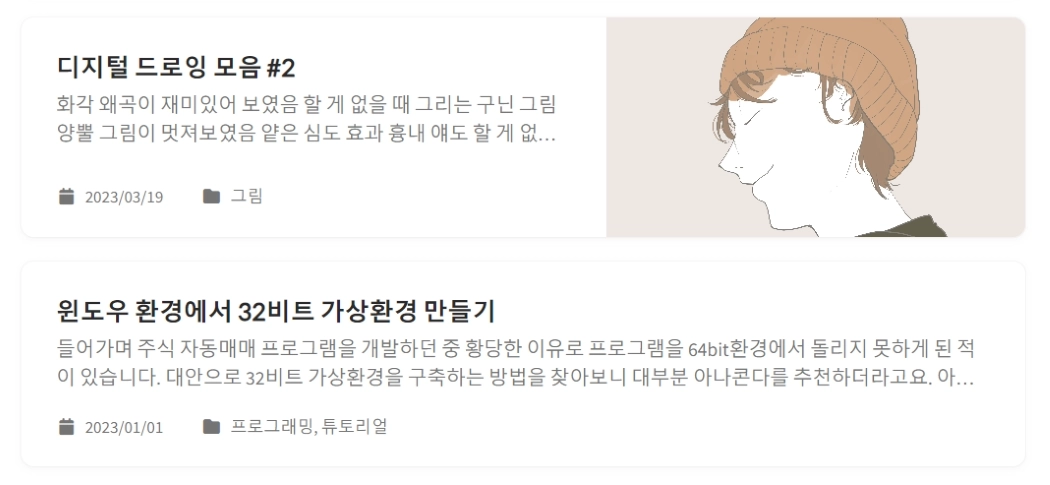
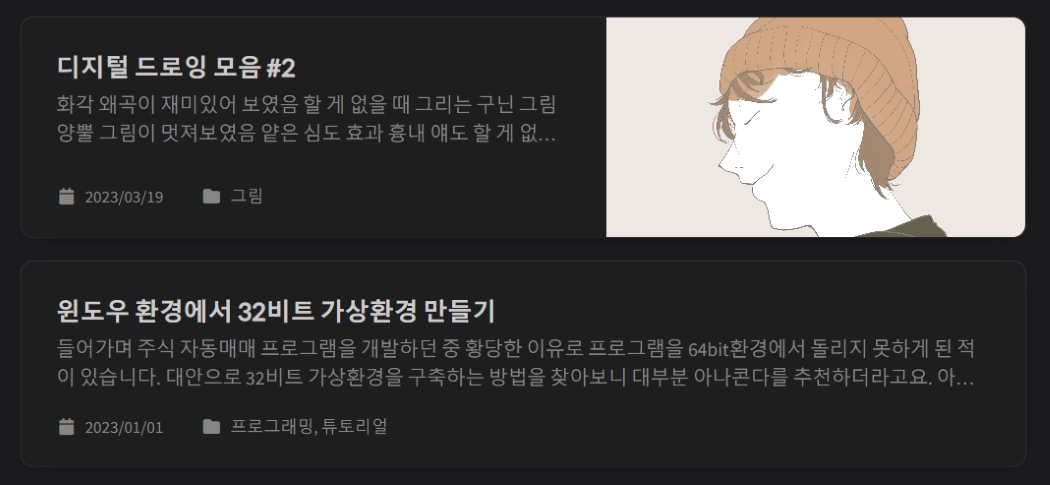 Post excerpts shown on the blog home before the fix
One issue is that the post excerpts on the blog home display image captions, headers, and other raw content as-is. As shown above, unnecessary bits like image captions or “Introduction” appear alongside the excerpt, hurting readability. This feels like something that should be handled by default, so I found a method and fixed it this time.
Root Cause Analysis
<div class="card-text content mt-0 mb-3">
  <p>
    {% include no-linenos.html content=post.content %}
    {{ content | markdownify | strip_html | truncate: 200 | escape }}
  </p>
</div>
The GitHub blog home layout lives in _layouts/home.html. In my case, the stock code looked like the above; the <div class="card-text content mt-0 mb-3"> block generates the post excerpt.
Examining the code, the content is simply piped through markdownify and strip_html to render as text. I thought adding a separate filter to strip specific tags would work well, so I went through the following steps.
Writing the Code
require 'nokogiri'

module Jekyll
  module RemoveTagFilter
    def remove_tag(input, *tags)
      doc = Nokogiri::HTML(input)
      doc.remove_namespaces!
      tags.each do |tag|
        doc.search(tag).each do |node|
          node.content = ''
        end
      end
      doc.to_html.gsub(/\A<!DOCTYPE .*?>\n?/, '').gsub(/\n\z/, '')
    end
  end
end

Liquid::Template.register_filter(Jekyll::RemoveTagFilter)
{%- if post.description -%}
{{- post.description -}}
{%- else -%}
...
{{- content | markdownify | remove_tag: 'h2', 'h3', 'em', 'blockquote', 'pre' | strip_html | newline_to_br | replace: '<br />', ' ' | strip_newlines -}}
...
{%- endif -%}The assets/js/data/search.json file, which handles search result text, can receive similar treatment.
I had no background in Ruby or Liquid, so figuring this out took some effort. I tried solving it with Liquid alone using split or join, but couldn’t get the desired output; I ended up getting help from GPT and created a Ruby file at _plugins/remove-tags.rb to handle it. The Ruby file defines a function that takes tag types as parameters and uses a regex to strip their inner text. It leverages the Nokogiri parsing library, and in the Liquid file you use it like remove_tag: 'h2', 'h3', 'em', 'blockquote'.
Updated 2025-10-20!
With the Chirpy version updated to v7.4.0, post-description.html was replaced by post-summary.html. The structure is nearly identical, so it can be written as follows:
  ...
  {%- assign content = content
    | markdownify
    | remove_tag: 'h2', 'h3', 'em', 'blockquote', 'pre'
    | strip_html
    | newline_to_br
    | replace: '<br />', ' '
    | strip_newlines
    | strip
  -%}
  ...
Verifying the Improvement
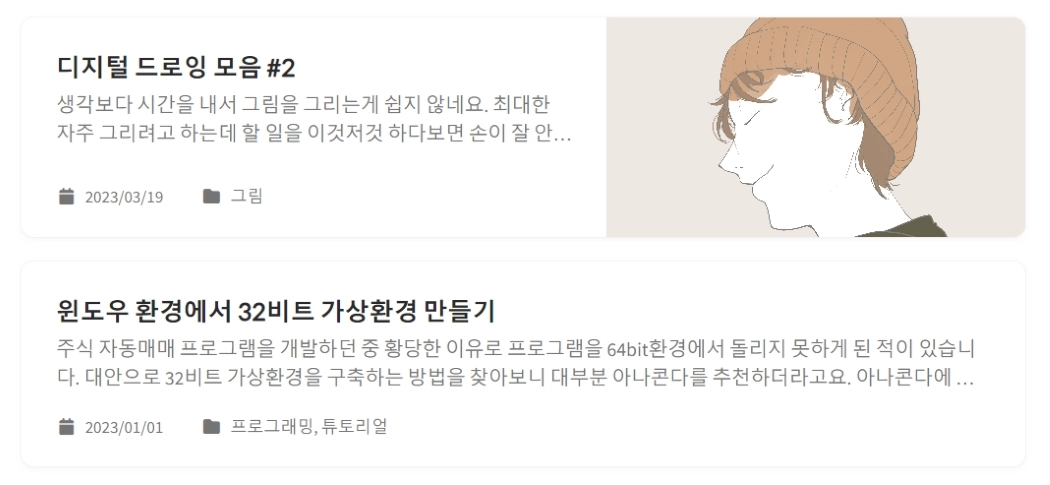
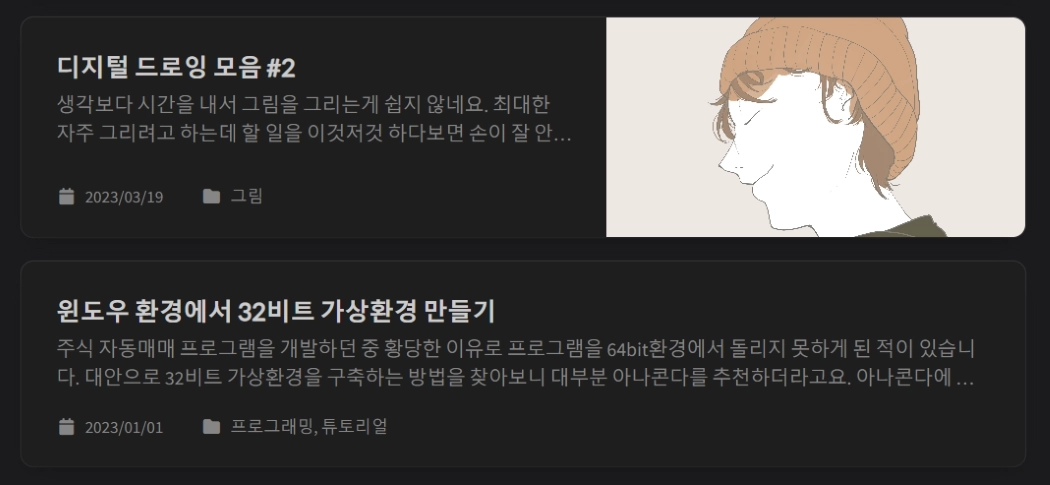 Post excerpts improved after applying the code
The code works as intended. Compared to before, unnecessary text is removed and the readability of the post excerpts has improved significantly. The cryptic feel is gone, replaced by a much more natural look, and additional tags to remove can simply be appended after remove_tag: — easy to use. I’ll keep making good use of this going forward.