Updating the GitHub Blog Theme

Introduction
The Chirpy theme I use is actively maintained and updated periodically. I occasionally check the changelog when bored, and this time I saw the version had just bumped to 7.0.0 yesterday with several improvements and new features.
This version adds local video and audio file embedding, officially supports description in front matter, and notably switches to GoatCounter for post view counting.
Update
Back up your files first!
Since a GitHub blog is loosely coupled with the service provider, think of the update process as simply pulling new files and code into your existing folders. It’s essentially merging the updated code into your repository. If you’ve done Git merges before, this won’t be too hard.
In my case, while customizing the theme, I’d improved the Korean translations in _data/locales/ko-KR.yml, changed sidebar icon types and sizes, bolded post preview titles, and made various other tweaks. Naturally, none of these are officially incorporated, so every update requires carefully verifying and preserving modified code like surgery. The official upgrade guide even advises: “Please be patient and careful to resolve these conflicts.”
Auto Merge
git remote add upstream https://github.com/cotes2020/jekyll-theme-chirpy.git{: .nolineno }
I started by registering the upstream repository as a precaution. Not strictly required.
git fetch upstream
git merge remotes/upstream/master
{: .nolineno }
Next, I merged with Chirpy’s master branch. The merged file versions can be checked via the tags page; at the time of writing it’s v7.0.0. If no issues arise, Git auto-merges what it can, and the remaining conflicts must be resolved manually.
Manual Merge
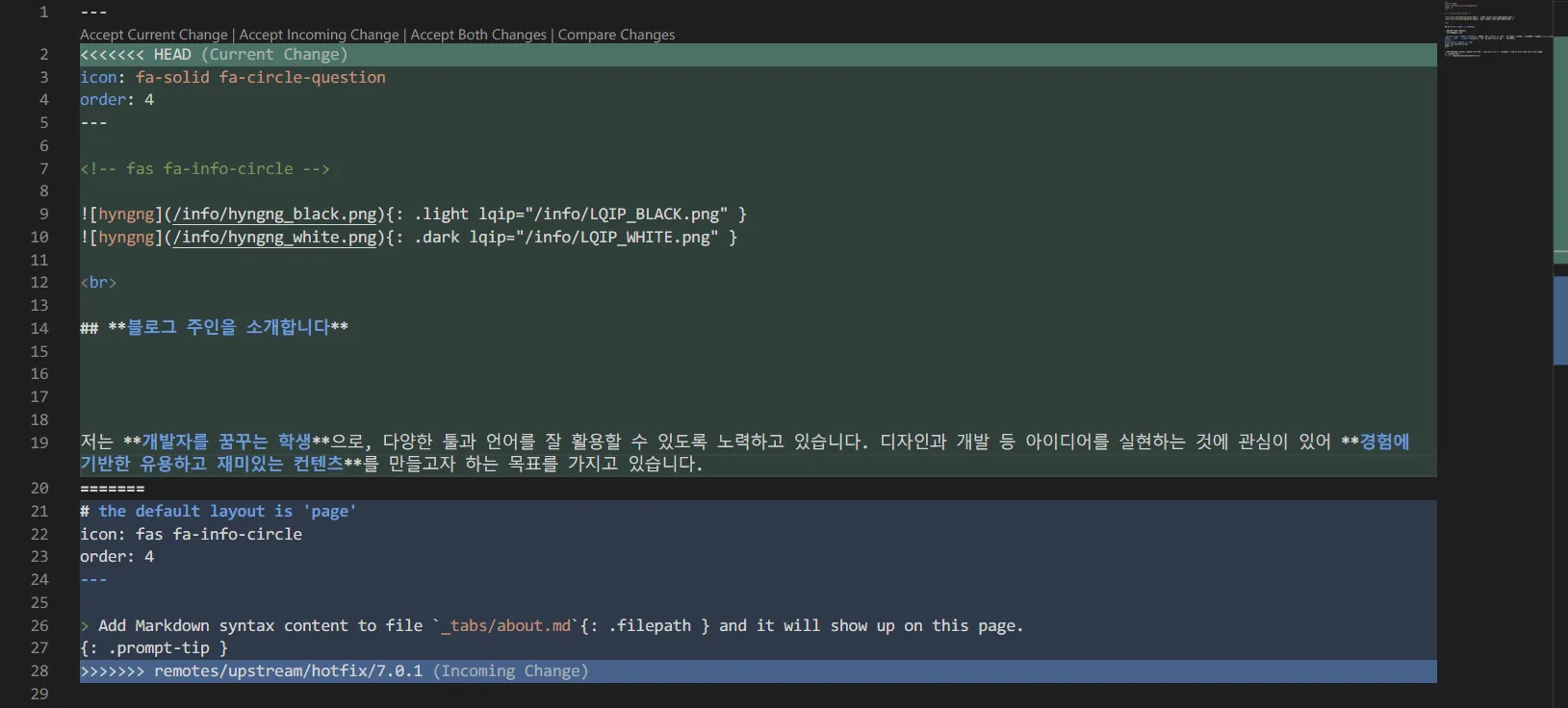 Conflict resolution screen. Pick one of the two versions to resolve.
I proceeded with manual merging in VS Code. For anyone new to this: choose Accept Current Change to keep your code, or Accept Incoming Change to replace with the new code. Once chosen, reverting is painful, so review slowly.
My previous version was 6.3.1, so there were many intervening changes plus my own modifications. Fortunately, regions needing attention were marked with comments like /* region modified */, so it only took about 30 minutes — not terribly long.
npm run build{: .nolineno }
After merging, compile the CSS and JavaScript files. Do this manually even if it’s tedious.
git add assets/js/dist _sass/vendors -f{: .nolineno }
Then add the generated files to the Git repo and push.
Once that’s done, run bundle exec jekyll s to spin up a local server and verify it loads properly with no page breakage. Missed merges or bad merges could break something, so if issues appear, take your time fixing them.
Verification
{% include embed/video.html src=‘/2024-05-12-blog-update/video/240410-232136.mp4’ title=‘Video sample. Gameplay footage from a game in development.’ %}
{% include embed/audio.html src=‘/2024-05-12-blog-update/audio/eating-chips.mp3’ title=‘Audio sample. The crisp sound of eating chips.’ %}
Closing
Update complete! Both video and audio — the new features in 7.0.0 — render correctly. That said, seeing the video in action makes me wonder if YouTube embedding might be cleaner — I’ll mull over where to use this feature.
Anyway, a backlog of custom tweaks had definitely piled up, and I’d been wanting to update the theme version for a while. This first attempt wrapped up satisfactorily. Having done it once, it doesn’t seem all that daunting, so I’ll keep maintaining it periodically 😊