Customizing the GitHub Blog Template

Introduction
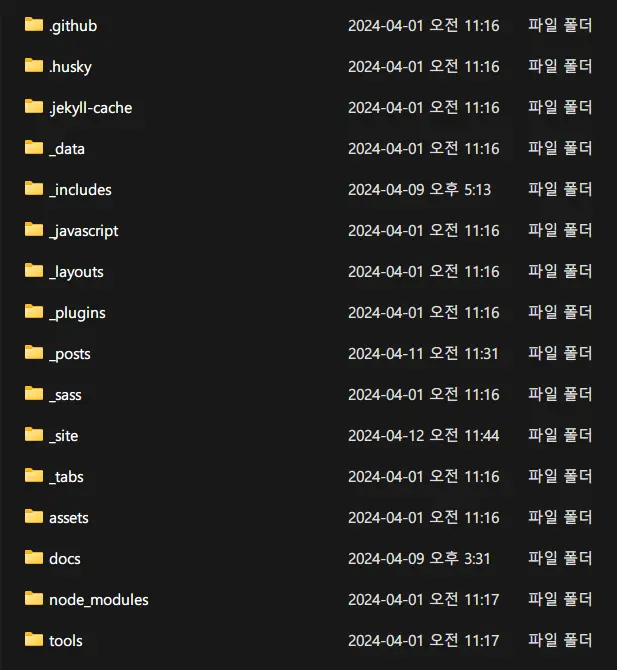
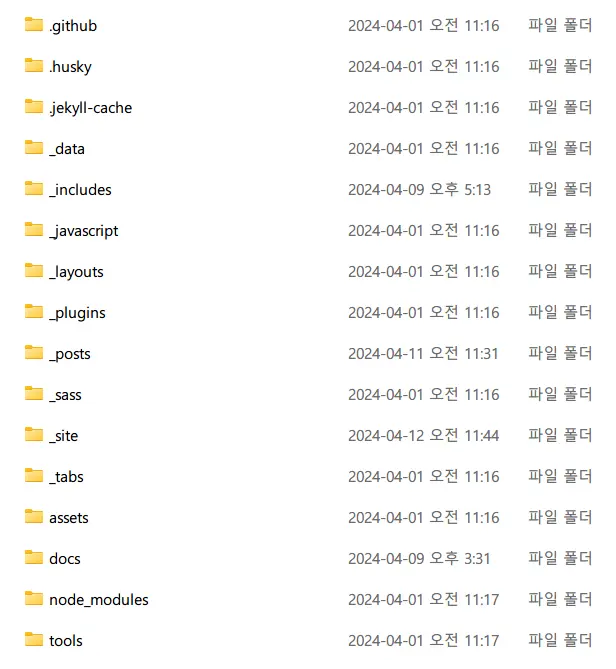
It seems the blog template I’m using has been consistently improved — the version has reached 6.3.1. Looking at the refreshed theme, I noticed a new feature to display preview images for posts on the main page, and the overall color palette has been refined cleanly.
While looking into how to update, I discovered something: when I first set up the blog, I used the Chirpy Starter approach. This method makes setup simple but limits customization scope.
Since I chose GitHub Pages over typical platforms like Tistory or Naver Blog precisely for its extensive customizability, that advantage felt diminished. I promptly switched to the GitHub Fork method as guided on the official page.
Following this approach step by step noticeably increased the number of blog files. Checking the newly created _includes, _javascript, _layouts, and _sass folders revealed that JavaScript and CSS files could be modified to directly edit webpage components, so I tweaked a few things.
Template Modifications
Adjusting Font Size and Paragraph Spacing
One thing that had bothered me was that the font size felt slightly too large. I didn’t know how to adjust it, and it wasn’t functionally inconvenient, so I’d let it slide — but with this blog refresh, I decided to fix it.
SCSS can be modified or written in assets/css/jekyll-theme-chirpy.scss. Post text properties are defined in the .content selector in _scss/addon/commons.scss, so I set font-size to around 0.98rem for all .content elements, and adjusted paragraph spacing from 1.25rem to around 1.5rem, using Tistory and Naver Blog formats as reference.
.content {
  font-size: 0.98rem;
}

p:not(blockquote p) {
  margin-top: 1.5rem;
}
Removing the Site Footer
The stock Chirpy theme includes a footer at the bottom of the blog: ”© {year} {name} Some rights reserved” on the left, and “Powered by Jekyll with Chirpy theme” on the right. The latter isn’t critical information, so I commented out the footer-related code for a cleaner look.
<p>
    {%- capture _platform -%}
        <a href="https://jekyllrb.com" target="_blank" rel="noopener">Jekyll</a>
    {%- endcapture -%}

    {%- capture _theme -%}
        <a href="https://github.com/cotes2020/jekyll-theme-chirpy" target="_blank" rel="noopener">Chirpy</a>
    {%- endcapture -%}

    {{ site.data.locales[include.lang].meta | replace: ':PLATFORM', _platform | replace: ':THEME', _theme }}
</p>
-->
Updated 2024-05-26!
While maintaining the blog, I discovered the Chirpy template states the MIT license, meaning footer removal isn’t permitted in principle. I restored the comment to comply with the license.
Bold Post Titles
Seeing how post titles in bold on Medium catch the reader’s eye, I added the following to assets/css/jekyll-theme-chirpy.scss so my blog’s post titles would also be emphasized in bold.
.btn-outline-primary {
  font-weight: bold;
}
Removing Post Navigation

 Post navigation. Guides users to the previous or next post relative to the current one.
Post navigation shows links to the immediately previous and next posts in chronological order at the bottom of each post. Personally, I questioned its purpose — it doesn’t show posts from the same category, and simply exposing the temporally adjacent posts as “relevant” makes little sense when the topics are completely unrelated.
I felt post navigation only cluttered the page bottom, so I wanted to keep only the “Related Posts” section. I found and removed the - post-nav code that loads the navigation in _layouts/post.html{: .filepath}.
---
layout: default
refactor: true
panel_includes:
  - toc
tail_includes:
  - comments
  - related-posts
---
Updated 2024-04-16!
Continuing to run the blog, I realized I write on a wider variety of topics than I thought. Keeping the navigation might help connect across those diverse topics, so I restored the - post-nav part 😭
Changing Sidebar Background Color
Changing the sidebar background color by directly using background-color fixes the color regardless of dark mode. What I wanted was to keep the light mode color as-is and only change the dark mode color. Fortunately, the Chirpy theme separates dark mode’s typography-dark.scss from light mode under _sass/colors, so I changed the dark mode sidebar background color to #1D1D1E in that file.
--sidebar-bg: #1D1D1E;Changing TOC Generation Behavior
The Chirpy theme generates a TOC (Table of Contents) on the right side of post pages by default. It provides useful features like checking your current reading position or jumping to a desired section, but after a theme update, the behavior changed in an inconvenient way.
I’m not sure exactly which version introduced this, but previously it generated the TOC from h1, whereas now it only generates when h2 or lower tags exist. There’s probably a reason, but I didn’t like it, so I reverted it. The code is long, so I’ve only included the changed portions.
document.querySelector("main h1")&&tocbot.init({tocSelector:"#toc",contentSelector:".content",ignoreSelector:"[data-toc-skip]",headingSelector:"h1, h2, h3",orderedList:!1,scrollSmooth:!1})export function toc() {
if (document.querySelector('main h2')) {
// see: https://github.com/tscanlin/tocbot#usage
tocbot.init({
tocSelector: '#toc',
contentSelector: '.content',
ignoreSelector: '[data-toc-skip]',
headingSelector: 'h1, h2, h3',
orderedList: false,
scrollSmooth: false
});
}
}{% if page.content contains '<h1' or page.content contains '<h2' or page.content contains '<h3' and site.toc and page.toc %}
{% assign urls = urls | append: ',' | append: site.data.origin[type].toc.js %}
{% endif %}Updated 2024-04-16!
While registering the blog on the web, I received a warning from Naver Search Advisor and Bing Webmaster Tools about “multiple h1 tags detected.” Investigating why this warning exists led me to the Web Content Accessibility Guidelines (WCAG). The change to generate TOC from h2 and below seems intended to encourage using only one h1 tag per this guideline. Checking Wikipedia via dev tools confirmed they use h1 for the article title and h2 onward for section headings.
Whether it’s truly due to WCAG is uncertain, but I felt the guideline should be followed, so I lowered all heading levels in my blog posts by one step. However, I wanted to keep the TOC font size unchanged, so I set the font-size property separately in jekyll-theme-chirpy.scss.
h2 {
  font-size: 1.9rem;
}

h3 {
  font-size: 1.6rem;
}

h4 {
  font-size: 1.3rem;
}
Changing Specific Tag Fonts
$font-family-base: 'IBM Plex Sans KR', 'Source Sans Pro', 'Microsoft Yahei', sans-serif;
$font-family-heading: 'IBM Plex Sans KR', Lato, 'Microsoft Yahei', sans-serif;
The default font felt too wide, so I found a narrower font on Google Fonts and changed it. Instead of modifying the font definition code directly, the template has a variables-hook.scss file where I added the code separately. The screen with the new font applied looks much better.
Closing
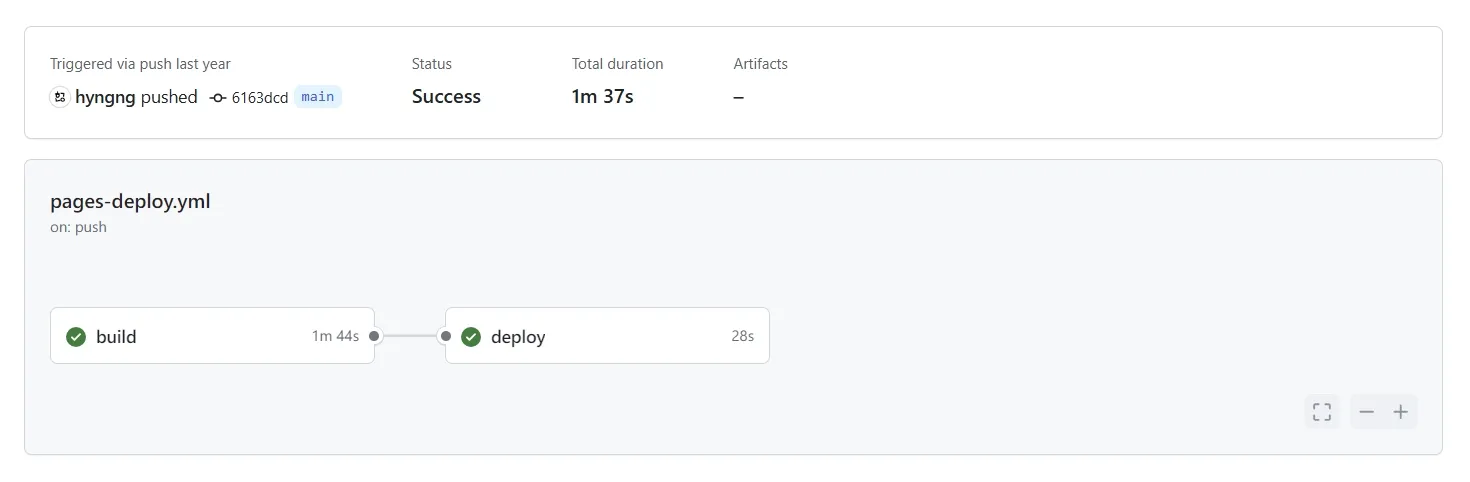
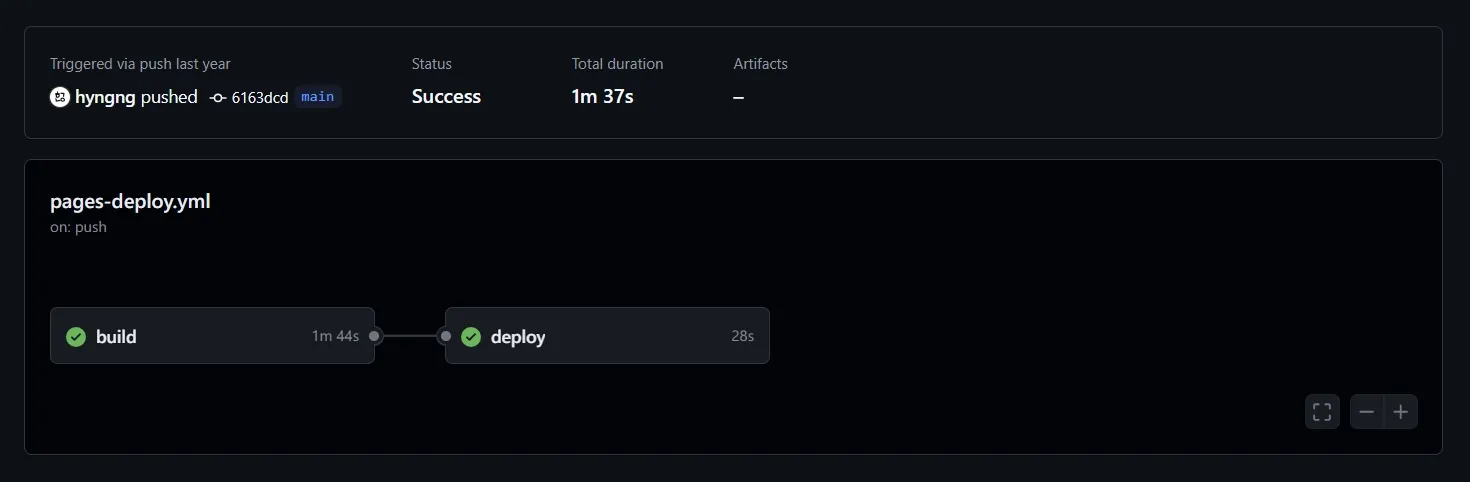 Workflow time reduced to around 2 minutes!
For some reason, after updating the blog theme, the time it takes for a push to actually reflect on the blog has dropped significantly! It used to take nearly 10 minutes; now it reflects in about 2 minutes.
I tried other things too — removing the Twitter icon, applying word-break for Korean sentences — but side effects like icons failing to center-align and leaning left, or paragraph formatting breaking, prevented me from applying them. I’ll give them another shot when the idea strikes again.