Making a Simple Armored Vehicle Shooter Game with Unity

Introduction
I remember watching a YouTuber (Tooner) back when I was young, and being fascinated by the tank suspension, PIP (Picture-In-Picture) scope, flashbang effects, and other things they implemented. The videos themselves were raw and rough, and perhaps because of that they usually had low view counts, but the content was genuinely interesting.
As time passed and I found myself with free time, I thought of this YouTuber again. I was in the mood to create something with a computer, and as I watched this YouTuber’s videos one by one, I started wanting to make things like that too. Taking this YouTuber’s path as a role model, I spent two weeks using Blender and Unity to create my own first milestone.
Blender
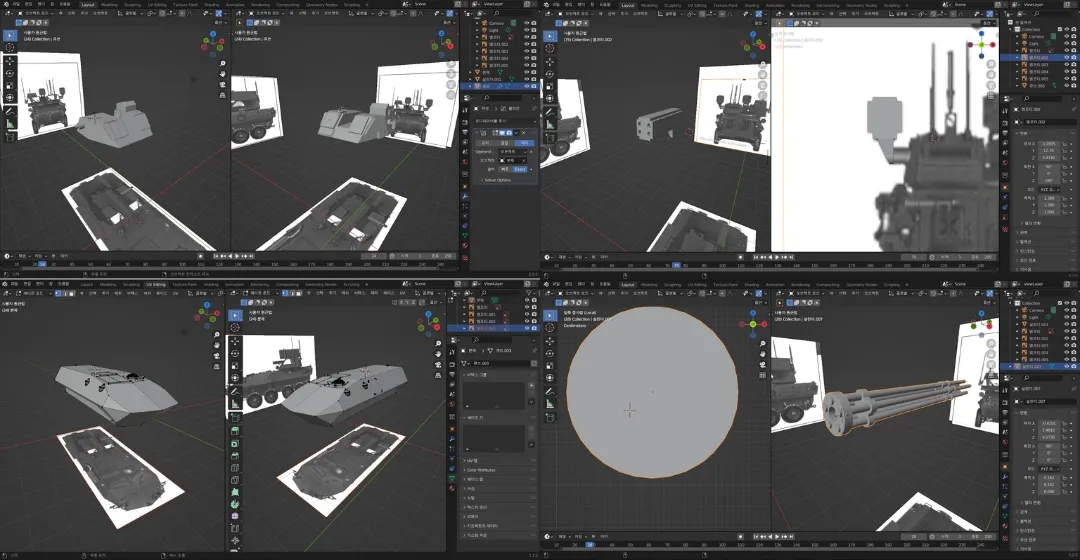
At first, I thought about what to make and settled on an armored vehicle called the LAV-AD. It was simply because the vehicle looked cool, and its geometric body shape seemed like it wouldn’t be too difficult to model myself.
Of course, I initially considered downloading a free model from the internet, but most models were being sold commercially, and I’d also been wanting to try out Blender for a while, so I decided to make it myself.
I looked up well-organized articles online for basic shortcut keys, and to understand how to approach Blender as a tool, I watched several speed modeling videos from overseas YouTube channels and followed along.
I noticed that many people created models by referencing orthographic projections along the X, Y, and Z axes, so I also started gathering reference materials from Google and began working on my first model. There were difficulties, but the process was quite systematic so I adapted quickly, and I was able to create a shape that felt right to me.
Unity
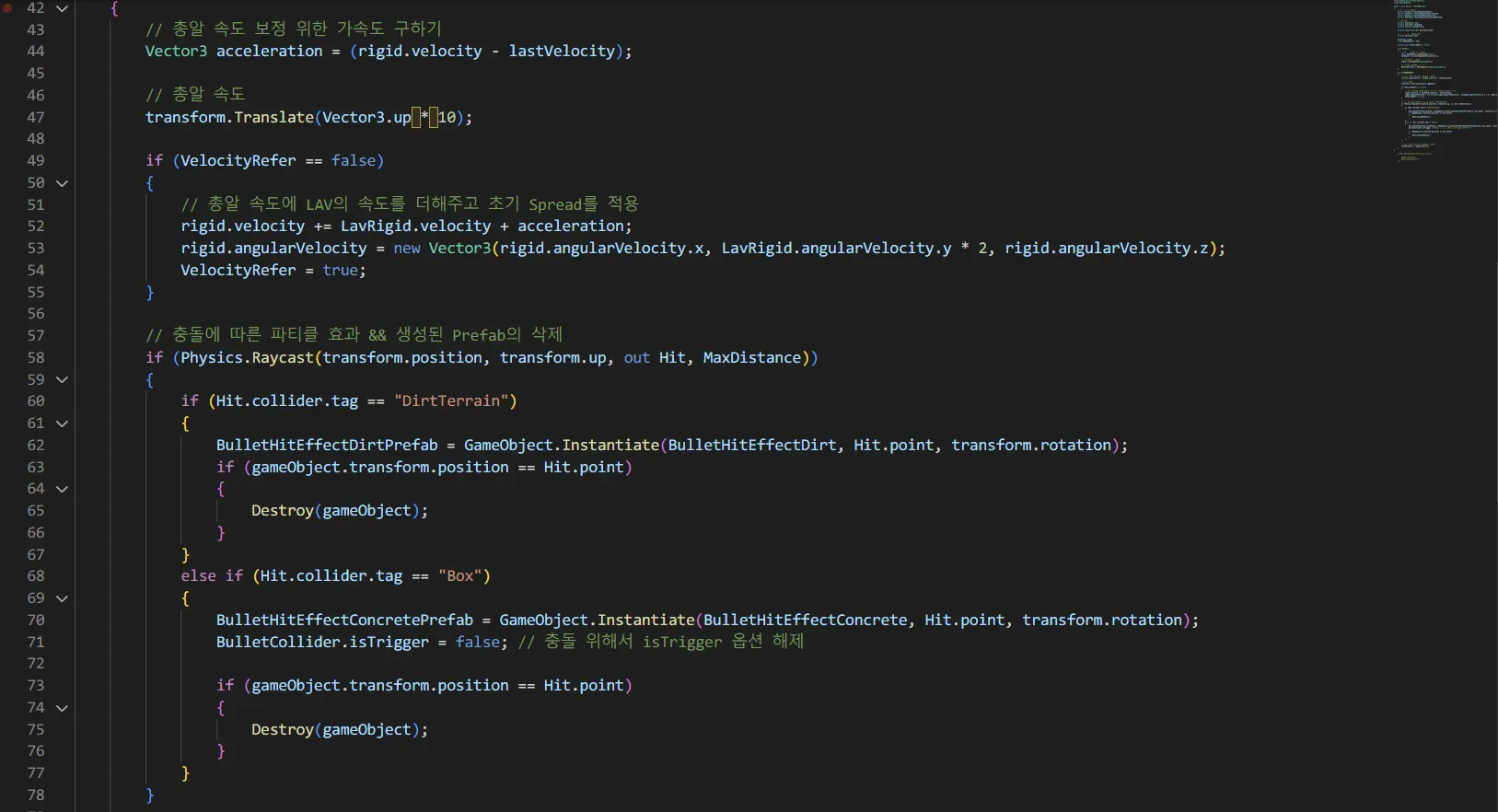
Next was the coding, and I used Unity for this as well, something I’d been wanting to learn. Looking back, I feel like I was just feeling my way through Unity, not knowing how to use anything, and barely managed to put things together.
I had no foundational knowledge of object-oriented or component-based design, so I had to rely on Korean blog posts, Indian YouTuber lectures, and old Stack Overflow Q&A threads.

At one point, while implementing wheels, I used a Unity component called Wheel Collider, and no matter how much I searched, there was hardly any Korean reference material for it. I tried referencing the official Unity documentation for the first time, but my lack of understanding of the component itself meant it took a while to use it properly.
Still, when I finally got it working and saw the wheels rolling properly, it was a profoundly moving experience, and I think that was the turning point where I started really enjoying Unity.
Bug Fixes and Completion


There were plenty of funny bugs too. When I didn’t know about Wheel Collider, I tried implementing vehicle movement using trigonometric functions and it worked completely wrong; after applying Wheel Collider, the wheel axes were misaligned so they rolled in directions they shouldn’t; applying a newly modeled body caused mass value issues; and while implementing shell casing ejection effects, I ended up spewing out way too many casings.
Beyond these, there were many bugs alongside frequent basic syntax errors like missing semicolons or brackets, which caught me off guard with how many small difficulties there were. It was especially tough around the time I was implementing the Wheel Collider.
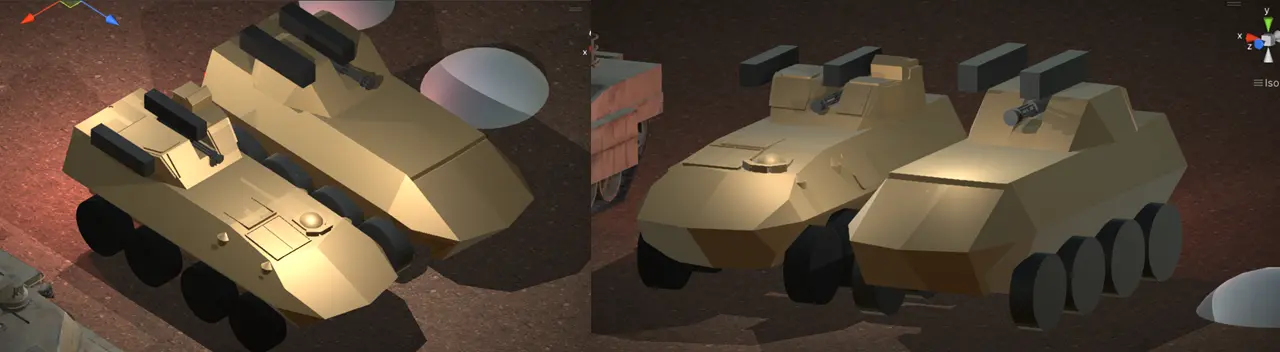
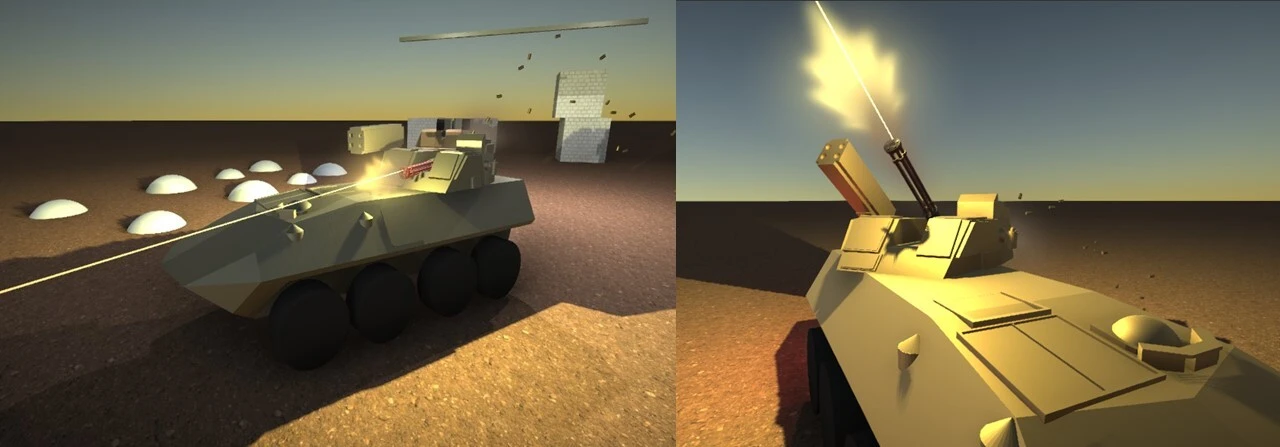
Still, after a total of 9 builds, I managed to get it to a level that satisfied me. I incorporated various personal preferences and ideas — applying camera post-processing for depth of field effects, having dirt kick up from the rear wheels in the appropriate direction when moving forward or reversing, and making the taillights glow brightly when reversing, among other details. I had fun finishing it up.
Closing
You can explore more details on GitHub!
I started on July 8th and finished the final build on July 25th, so it’s a short-term project completed in 17 days. Personally, while working on the final build, I thought about taking on a larger-scale project next time. I do regret that, lacking a solid understanding of C#, I ended up writing code that was only focused on meeting the goal.
Still, it was good to experience modeling on my own and using object-oriented programming. Most of all, I’m really glad that I now have the experience of building a program that I feel attached to.